Free Government Tablet in Arizona: Safe 2026 Options for Low Income Residents
Arizona doesn't have one guaranteed statewide "free government tablet" program for every eligible resident. The real path is safer and more specific: check Lifeline eligibility, look at provider device offers by ZIP code, use SNAP or AHCCCS Medicaid as qualifying proof when allowed, and compare local digital access resources if no tablet offer is available.

Use this page to check realistic Arizona tablet options, not fake "guaranteed free tablet" claims.
Quick Answer for Arizona Residents
If you live in Arizona and want a free or discounted tablet, start with eligibility, not device claims. Your household may qualify for Lifeline through Arizona Nutrition Assistance, AHCCCS Medical Assistance, SSI, income, federal housing assistance, certain veterans benefits, or Tribal assistance programs. Once eligibility is sorted, the provider and ZIP code determine what service plans and device offers actually exist.
That difference matters more than most people realize. Lifeline is active in 2026, but it's primarily a phone or internet service discount. A tablet is not automatically included. Some wireless companies advertise a tablet, Android device, or phone-and-tablet bundle, but the details shift by county, stock, address, Tribal land status, and provider rules.
- Confirm whether your household qualifies through SNAP, AHCCCS, SSI, income, housing, veterans, or Tribal eligibility.
- Use the National Verifier or provider eligibility flow.
- Search Arizona providers by ZIP code.
- Read device terms before paying any copay or activation charge.
- Use local library, community action, or assistive technology resources if no provider tablet is available.
What "Free Government Tablet" Means in 2026
The phrase "free government tablet" gets thrown around a lot, and it can genuinely mislead people. In 2026, there's no universal federal tablet giveaway sending a new device to every eligible person. Real offers connect to Lifeline-related providers, older ACP-era device promotions, nonprofit device programs, local digital access projects, or provider-specific discounts.
The Affordable Connectivity Program, commonly called ACP, ended when federal funding ran out. Households stopped getting ACP discounts after June 1, 2024. Old articles still floating around that claim a live ACP tablet benefit can confuse Arizona residents, especially people who previously used ACP for home internet or mobile service.
Lifeline is different. It's still active and can cut the monthly cost of phone, internet, or bundled service for eligible low-income households. On qualifying Tribal lands, the Lifeline discount can be higher than the standard amount. A device, if offered at all, is controlled by the provider, not by some Arizona tablet office.
A Lifeline provider may offer a discounted Android tablet in some Arizona ZIP codes.
A website promising every EBT cardholder a brand-new tablet with instant approval.
Look for copay, shipping, activation, monthly service, return, and refurbished-device terms.
Does Arizona Have a Free Tablet Program?
Arizona has benefit programs, broadband expansion work, public libraries, assistive technology resources, and community support agencies. That's not the same thing as a single official statewide program that guarantees every low-income resident a free tablet.
For benefits, Arizona uses Nutrition Assistance as the state name for SNAP. Arizona residents can apply online through Health-e-Arizona Plus, which also handles applications for AHCCCS Medical Assistance and Cash Assistance. Those programs can help prove eligibility for Lifeline or provider offers, but they don't automatically trigger a tablet shipment.
For broadband and digital access, Arizona's State Broadband Office and ConnectAllAZ focus on expanding reliable internet access, including unserved and underserved areas. That work matters a lot for rural counties, Tribal communities, and desert or mountain areas where connectivity can be uneven. But broadband expansion isn't the same as a guaranteed consumer tablet benefit.
Main Ways Arizona Residents May Qualify
Most Arizona residents who qualify for Lifeline do so through a public benefit program or household income. Your proof needs to match your legal name, date of birth, address, and household details as closely as possible. If automated checks can't confirm your record, you'll likely need to upload documents.
| Eligibility path | Arizona example | How it helps |
|---|---|---|
| SNAP or EBT | Arizona Nutrition Assistance, often used with the Arizona Quest EBT card | May prove Lifeline eligibility if the household member and benefit record can be verified. |
| Medicaid | AHCCCS Medical Assistance | May qualify the household for Lifeline or provider eligibility screening. |
| SSI | Supplemental Security Income award or benefit proof | Often accepted as a qualifying federal assistance program. |
| Housing assistance | FPHA, Section 8, or eligible public housing documentation | May support Lifeline eligibility if the document shows current participation. |
| Veterans benefits | Veterans Pension or Survivors Benefit | Can be a qualifying path for Lifeline if documentation is current. |
| Tribal assistance | BIA General Assistance, Tribal TANF, qualifying Head Start, or Food Distribution Program on Indian Reservations | May qualify residents on eligible Tribal lands for enhanced Lifeline benefits. |
| Income | Pay stubs, tax return, unemployment, or other accepted income proof | May qualify if household income meets the current Lifeline income rule. |
The household rule matters. Lifeline is generally limited to one benefit per household, not one per person. A roommate situation, shared address, shelter address, rural route, or Tribal housing address may need extra care with the household worksheet or address documents.
EBT and SNAP Free Tablet Options in Arizona
Arizona's SNAP program goes by Nutrition Assistance. If your household receives it, that's one of the strongest ways to prove eligibility for Lifeline or a provider tablet offer. It does not mean the Arizona Quest EBT card itself gives you a tablet.
For a deeper EBT-focused explanation, see how tablet offers with EBT usually work. The key point for Arizona residents is simple: SNAP can help you pass the eligibility screen, while the provider decides whether a tablet is actually available.
What EBT can do
- Help show low-income program participation.
- Support a Lifeline eligibility check.
- Reduce the need for income documents if the benefit record verifies automatically.
What EBT cannot do
- Guarantee a tablet in every Arizona ZIP code.
- Replace the National Verifier or provider review.
- Require you to give anyone your EBT PIN.
If your Nutrition Assistance case is active but a provider can't verify it, check the spelling of your name, your date of birth, your address format, and whether the document shows a recent benefit period. Arizona residents who recently moved between counties may need updated benefit notices or address proof.
Medicaid Free Tablet Options in Arizona
Arizona Medicaid is commonly known as AHCCCS. Having AHCCCS Medical Assistance may help you qualify for Lifeline or a provider device offer. The Medicaid program proves eligibility. The wireless or internet provider controls device availability.
Health-e-Arizona Plus is a key Arizona portal because residents can use it for AHCCCS, Nutrition Assistance, and Cash Assistance applications. For a tablet eligibility check, your AHCCCS approval notice, benefits letter, or current coverage proof may come in handy if automatic verification doesn't work.
Lifeline Tablet and Phone Options in Arizona
Lifeline can lower the monthly cost of phone, internet, or bundled service. In Arizona, that can be especially important for people who rely on mobile service for job searches, school messages, telehealth, benefits notices, and family safety.
Some Arizona residents search for "Lifeline tablet options in Arizona" because providers sometimes advertise a tablet, phone-and-tablet bundle, or discounted Android device. Those offers are not the same as the Lifeline discount itself. A provider may require active service, a qualifying plan, a device copay, shipping fee, or availability in your specific ZIP code.
For a broader explanation, read how Lifeline phone and tablet offers usually work. For device expectations, compare realistic basic Android options in best government Android tablets.
May discount phone, internet, or bundled service for eligible households.
Arizona residents on qualifying Tribal lands may be eligible for a higher monthly discount.
A tablet depends on provider rules, ZIP code, stock, copay, shipping, and activation terms.
Documents You May Need
Documents matter a lot because many denials happen when someone qualifies but the proof is unclear. Arizona residents should prepare readable documents before starting the application. For a full document breakdown, use the government tablet documents checklist.

| Situation | Useful document | Arizona-specific note |
|---|---|---|
| You receive SNAP | Nutrition Assistance approval letter, benefit notice, or case document | Make sure the document shows your name and current benefit status. |
| You receive Medicaid | AHCCCS approval notice or coverage proof | Address and name should match the application. |
| You qualify by income | Tax return, pay stubs, unemployment statement, or accepted income proof | Use recent proof if your income changed due to seasonal, service, farm, border, or construction work. |
| You live at a shared address | Household worksheet, lease, shelter letter, or separate household proof | This can matter in apartments, multi-family homes, shelters, and shared rural housing. |
| You live on Tribal lands | Address proof plus eligible program proof if requested | Some Tribal addresses, PO boxes, or rural routes may need extra address explanation. |
| Your address is hard to verify | Utility bill, lease, official benefit letter, or mapping support if accepted | Remote desert, mountain, and reservation addresses may not match standard address databases cleanly. |
Step-by-Step Application Path
The safest Arizona application path is eligibility first, provider second, device terms third. Don't begin by sending money to a random "free tablet" page.
- Confirm your eligibility path. Use Nutrition Assistance, AHCCCS, SSI, income, housing, veterans benefits, or Tribal program proof.
- Prepare documents. Use readable photos or PDFs. Avoid cropped, blurry, expired, or mismatched documents.
- Check Lifeline eligibility. Use the National Verifier or a provider application flow that clearly connects to Lifeline verification.
- Search providers by Arizona ZIP code. Tablet offers can vary between Phoenix, Tucson, Flagstaff, Yuma, rural counties, and Tribal areas.
- Read the device terms. Check whether the tablet is free, discounted, refurbished, shipped separately, tied to activation, or subject to a copay.
- Keep copies. Save your application number, provider name, plan details, payment receipt if any, and shipping confirmation.
For a simple application overview, use the Free Tablet Apply step-by-step application page.
Provider Availability and ZIP Code Checks
Arizona ZIP code checks matter more than most people expect. A provider may serve Phoenix but skip a remote county entirely. Another may show service in Tucson but have no tablet stock at the time you apply. Tribal lands can also change the Lifeline discount level and the available provider list.
Use government tablet near me to understand how local provider searches work. Then compare that with official Lifeline provider search tools and the provider's own terms.
Urban Arizona checks
In Phoenix, Mesa, Glendale, Chandler, Tucson, and Tempe, more providers may appear, but device offers can still be limited by stock and plan type.
Rural and Tribal checks
In northern Arizona, border communities, mountain areas, and reservation communities, coverage and address verification can be harder. Check both service availability and shipping rules.
Provider details change often. If you're comparing companies, start with main Lifeline and tablet providers. Only trust device details shown in the provider's current application flow or official terms.
What To Do If No Tablet Offer Is Available
No tablet offer in your ZIP code doesn't mean you have no options. Arizona has several practical fallback paths, especially if your main goal is school access, telehealth, job applications, benefits management, or basic internet use.
Use Lifeline for service first
A discounted phone or internet plan can help even without a tablet. A working connection is often more useful than waiting for a device offer that's out of stock.
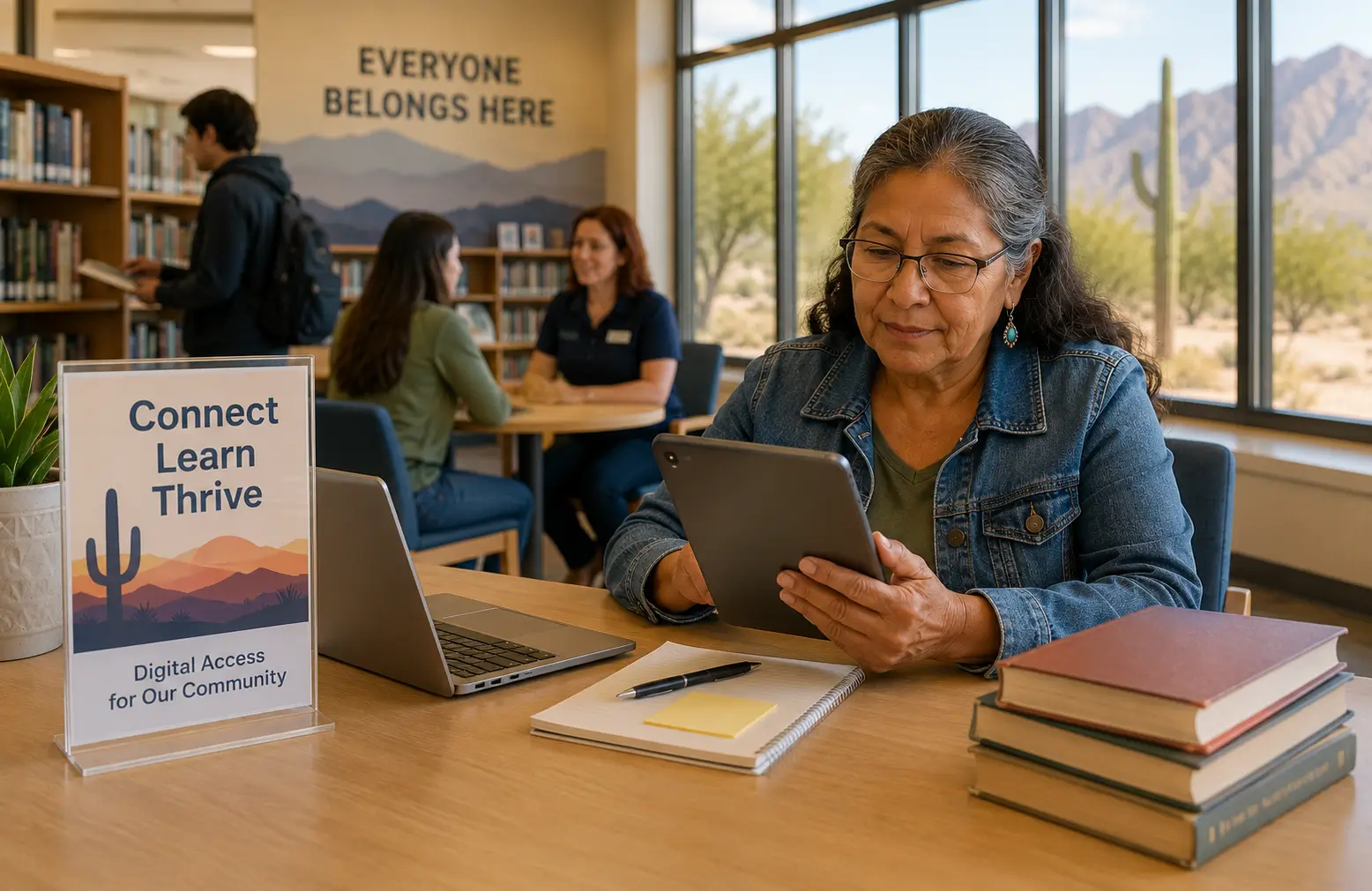
Check public libraries
Arizona public libraries can be useful for computers, Wi-Fi, digital resources, printing, job searches, and help using online forms.
Ask Community Action Agencies
Arizona's Community Action Network helps low-income families connect with local support. They may not hand out tablets, but they can point residents toward local resources.
Check assistive technology options
Arizona residents with disabilities may find device demonstrations, short-term loans, or reuse options through assistive technology resources such as AzTAP.
If you need a tablet for disability access, school, work, or communication, ask whether a loan, refurbished device, nonprofit reuse program, or low-cost Android tablet would solve the problem faster than waiting on a provider offer.
Special Groups in Arizona
Seniors
Arizona seniors may qualify through SSI, Medicaid, SNAP, income, housing assistance, or veterans benefits. A tablet can help with telehealth visits, medication portals, Social Security notices, and family communication. See tablet options for seniors for a senior-focused checklist.
Veterans and surviving spouses
Veterans Pension and Survivors Benefit can support Lifeline eligibility. Arizona veterans should still check provider availability by ZIP code and shouldn't assume a tablet is guaranteed. For more detail, read government tablet options for veterans.
Families using Nutrition Assistance
Families with Arizona Nutrition Assistance may use SNAP participation as an eligibility path. This can help parents manage school portals, appointment messages, benefits notices, and job applications. The EBT card helps prove eligibility, but you should never share the PIN with a third party.
AHCCCS households
AHCCCS Medical Assistance can be an important eligibility path for families, seniors, adults with disabilities, and low-income workers. If your AHCCCS document is old or your address has changed, update the benefit record before applying for a provider offer.
Rural and Tribal residents
Arizona has large rural areas and many Tribal communities where broadband coverage, address matching, and provider availability can differ significantly from metro areas. Residents on qualifying Tribal lands may be eligible for enhanced Lifeline benefits, but the tablet offer still depends on the provider.
Students and adult learners
Students, GED learners, parents in workforce training, and adults using online job tools should check libraries, community colleges, and local digital access programs too. A library computer, Wi-Fi access, or low-cost refurbished tablet may be the fastest short-term option.
Scam Warnings for Arizona Residents
Tablet scams often target people who receive EBT, Medicaid, SSI, or housing help. The message usually sounds urgent: "Arizona residents approved today," "ACP tablet benefit is back," or "enter your EBT card to claim a free iPad." Slow down before entering anything.
- Your EBT PIN
- Bank login details
- Full Social Security number on an unknown page
- Photos of documents through social media messages
- Payment before seeing clear provider terms
Warning signs
- The page uses a fake government seal or makes itself look like an Arizona agency.
- It says every SNAP or AHCCCS recipient gets a new tablet.
- It claims same-day approval or same-day shipping for everyone.
- It says ACP is still giving monthly discounts in 2026.
- It asks for your EBT PIN, banking password, or unrelated personal data.
- It hides the provider name, plan terms, copay, or shipping fee.
Free Tablet Apply is independent and informational only. It does not issue tablets, approve benefits, represent the Arizona government, or ask for EBT PINs or banking passwords.
Helpful Checklist Before You Apply
- Confirm your Arizona eligibility path: Nutrition Assistance, AHCCCS, SSI, income, housing, veterans, or Tribal program.
- Check that your name, date of birth, and address match your benefit records.
- Prepare clear document images before starting the application.
- Use the National Verifier or a known provider flow.
- Search by your actual Arizona ZIP code, not just the state name.
- Read whether the device is free, discounted, refurbished, or limited stock.
- Check activation, shipping, monthly service, and return terms.
- Never share your EBT PIN or banking password.
- Keep screenshots or records of your application and provider terms.
- If no offer is available, check libraries, community action agencies, and assistive technology resources.
FAQs About Free Tablets in Arizona
Can I get a free government tablet in Arizona in 2026?
You may be able to find a free or discounted tablet through a Lifeline-related provider, but Arizona doesn't guarantee a tablet to every eligible resident. Availability depends on your eligibility, ZIP code, provider, stock, copay, shipping, and device terms.
Does Arizona Nutrition Assistance qualify me for a tablet?
Arizona Nutrition Assistance may help you qualify for Lifeline or a provider eligibility check. It doesn't automatically get you a tablet. The provider still needs to offer a device in your area.
Can I use my Arizona Quest EBT card to apply?
You may use SNAP participation as eligibility proof if the provider or verifier accepts it, but never share your EBT PIN. A legitimate application doesn't need your EBT PIN.
Does AHCCCS help with free tablet eligibility?
Yes, AHCCCS Medical Assistance may be a qualifying program for Lifeline eligibility. It helps prove eligibility, but the device offer still depends on the provider and your ZIP code.
Is ACP still giving tablet discounts in Arizona?
No. ACP ended, and households stopped receiving ACP discounts after June 1, 2024. Be cautious with any website claiming ACP is still issuing guaranteed tablet discounts in 2026.
Can Tribal residents in Arizona get a higher Lifeline benefit?
Residents on qualifying Tribal lands may be eligible for an enhanced Lifeline discount. This can help with phone, internet, or bundled service, but a tablet is still controlled by the provider's offer.
Why does my Arizona ZIP code change the tablet options?
Providers don't serve every ZIP code the same way. Metro Phoenix and Tucson may show different results than northern Arizona, border areas, rural counties, or Tribal communities. Stock and shipping rules can also vary.
What if my rural Arizona address is not accepted?
Use the most official address format you have, such as a benefit letter, utility bill, lease, or agency document. Rural routes, PO boxes, and Tribal addresses may need extra proof or manual review.
Will I get a new iPad?
Don't expect a new iPad unless the provider clearly states that exact device in current terms. Many low-cost provider devices are basic Android tablets, refurbished tablets, or limited-stock models.
Where can Arizona seniors look if no provider tablet is available?
Seniors can check Lifeline service options, local libraries, senior centers, Area Agency on Aging resources, community action agencies, and low-cost refurbished tablets. Seniors with disabilities may also ask about assistive technology support.
Can Arizona libraries help if I do not have a tablet?
Libraries can help with computer access, Wi-Fi, online forms, printing, digital resources, and learning support. They usually don't replace a provider tablet, but they can help while you search for one.
Is Free Tablet Apply an Arizona government agency?
No. Free Tablet Apply is an independent informational website. It doesn't approve Lifeline, issue tablets, operate AHCCCS, manage Nutrition Assistance, or represent the State of Arizona.
Final Helpful Summary
The safest way to check for a free government tablet in Arizona is to start with real eligibility and verified provider availability. Nutrition Assistance, AHCCCS, SSI, income, housing assistance, veterans benefits, and Tribal programs may help you qualify for Lifeline. Lifeline can reduce phone or internet service costs, but tablets depend on provider offers.
Don't trust pages that promise every Arizona EBT or AHCCCS recipient a new tablet. Check your ZIP code, read the terms, protect your personal information, and use local Arizona resources if no tablet offer is available.
External Resources
Use official sources when checking eligibility, provider availability, or Arizona benefit details.
- FCC Affordable Connectivity Program
- FCC Lifeline Program
- Lifeline Support
- USAC National Verifier
- USAC Companies Near Me
- Arizona DES Nutrition Assistance
- Health-e-Arizona Plus
- AHCCCS
- Arizona Broadband Office and ConnectAllAZ
- Arizona State Library, Archives and Public Records
- Arizona Technology Access Program
- Arizona DES Community Action Agencies